My portfolio
🎯 Key achievements:
-
Designed prototypes with Penpot for desktop and mobile to aid development.
-
Developed with 11ty from Penpot prototypes to WCAG AA accessibility standards.
-
Optimised the first draft, reducing request sizes by 90% and improved load time by 70%.
🤔 What is 11ty and why did you use it?
This site is powered by my favorite static site generator (SSG): 11ty. I manage it with my FOSS project: 11tyCMS! An SSG is a program that takes content as input, and outputs it as static HTML files. This is in contrast to a CMS like WordPress, which dynamically outputs a page based on content stored in a database.
Whenever I choose a library or framework for a project, I ask 3 questions:
-
Is it well maintained?
-
How popular is it and who uses it?
-
Does it have an active community?
For 11ty, I can see that it's regularly maintained: it has 100+ maintainers on GitHub with regular commits. It's very popular, with over 19k stars on GitHub and its used in 82k repos. Even NASA, Google and the UK Government use it! The community around 11ty is growing. There's an active Discord and even a monthly Zoom "meetup" where people share their 11ty projects. My 11tyCMS project was featured there in September!
I've also used it in previous work. My first 11ty site took under 6 hours to build, with no prior knowledge! I love how basic the infrastructure for an 11ty site is. There's no databases, no CMS credentials, and no expensive hosting; just pure HTML files to upload.
🎨 The design process
I wanted this website to be 3 things:
-
Minimal but visually pleasing with a distinct identity
-
Fast
-
Accessible
I wanted a design that feels timeless, one that doesn't follow a trend that's only relevant because Google or Apple use it. I wanted it to have a little bit of identity...
Usually, I'd code it off the top of my head, but this time I wanted to get acquainted with design tools. Sticking with the FOSS theme, I used Penpot to create my first mock up. I started off very minimal, as I felt it would be a good template to build from:
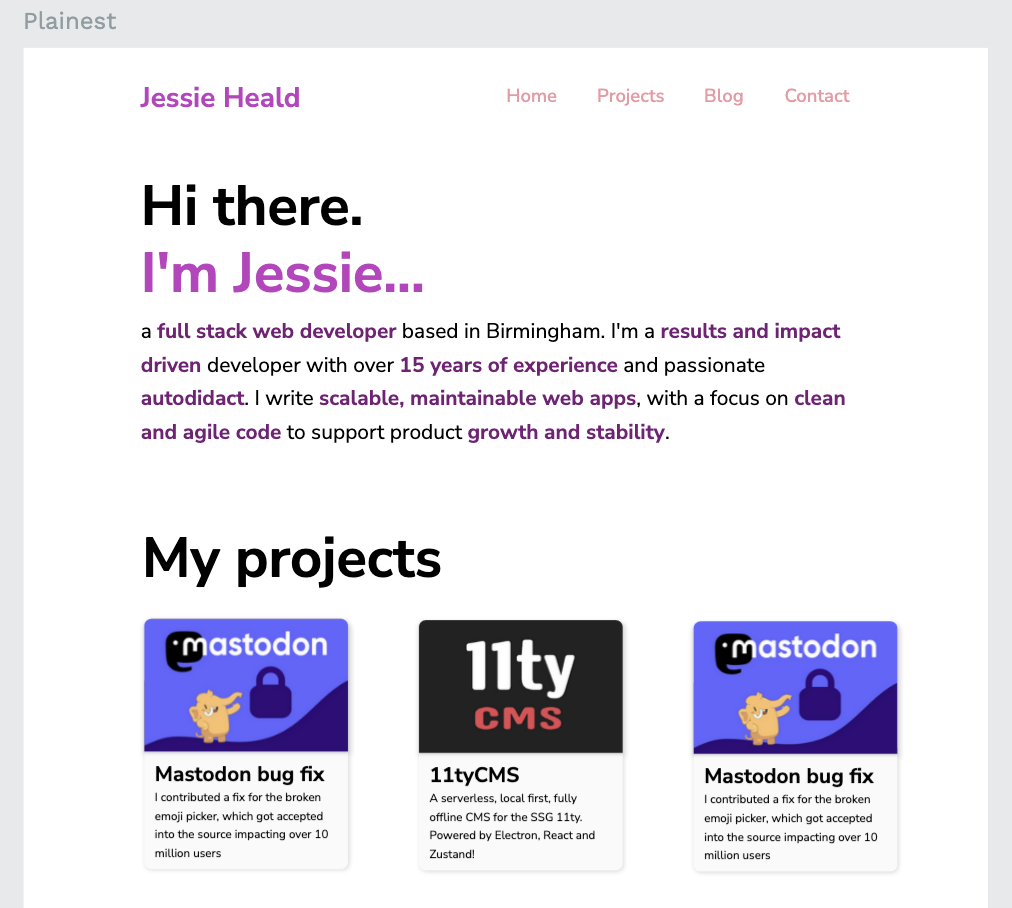
Using the Nunito Sans font gave it a bit of personality, a welcome change from the Helvetica and Ariel fonts I typically use! I also wanted to introduce some color for visual variety and texture, so I decided on headers being a lighter purple, with normal bold text being a more subtle shade. Purple is my favorite color, so I wanted it to be a defining feature...
I thought it'd be cool to add purple "waves", and beneath them change the background color to a darker shade. So I came up with this in Penpot:
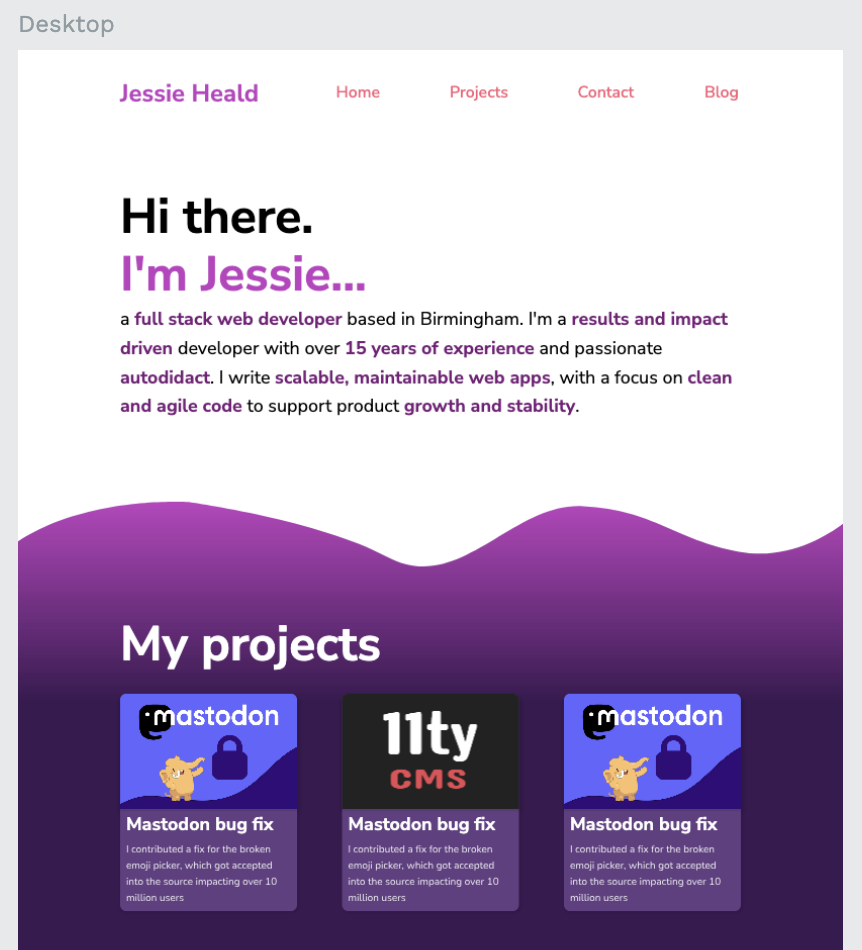
I absolutely loved how this made everything look. The colored highlights and my name blended beautifully with the waves. I loved how the gradient to the darker purple gave extra detail and texture to the design. It was also interesting figuring out 2 color palettes given the contrast between the header and the content below the waves!
I was finally happy to start coding the 11ty template. In a couple of hours, I had everything how I wanted... Except for the waves! I wanted them to be animated. I researched CSS wave animations, and found a performant solution: using a wave SVG, layering it twice and shifting them up and down as they move across the screen. And sure enough? It added even more personal flair to my design.
🚀 Optimization
I always like to make sure I keep file sizes to a minimum. The smaller the file size, the more eco the website, and the faster it will load for people on mobile data or slow connections! Better yet? Lower operational costs too.
The 11ty site was now functionally complete. The home page was around 780kb, with a response time of 480ms. Google's PageSpeed insights scored the site at around 78. Not great. I wanted much more, preferably 100.
Firefox's development tools reported that a good chunk of latency and request size was caused by Google Fonts. I did some research and found Sia's wonderful blog post about optimizing Google Fonts for 11ty websites. Following her advice, I stopped importing the fonts from Google, and hosted them myself, cutting the latency down to 400ms. Removing unused fonts, I further reduced the latency to 300ms and the request size to 400kb.
I also configured 11ty to minify my CSS and making it inline. This reduced reduced the request latency to 250ms. Now obviously, there's a debate about whether to minify CSS as you can just gzip compress your files to achieve similar compression and latency reductions... But given that this is hosted on GitHub Pages, I don't have that level of control. Regardless, things were starting to feel very snappy!
Finally, I began using 11ty's eleventy-img plugin. This basically converts and compresses all your images to more efficient formats. From this, the request size shrunk dramatically: 92kb at 133ms latency. What a beautiful sight!
Overall, I reduced the request size by nearly 90% and improved the load time by 72%!
♿ Accessibility
Disability and accessibility are topics I'm hugely passionate about. The world is such an inaccessible place, and I want to do my bit in making my part(s) of the internet more accessible for my fellow disabled users!
I did some research on accessible web design, and found out about WCAG guidelines. From these, I learnt about the importance of color contrast and further about HTML semantics: about how important it is to write your HTML in the most descriptive way possible, allowing screen readers to parse your content properly.
For example, I coded the site to take advantage of HTML's nav for the navbar, header for the header at the top, main for the content "beneath the waves", section for different categories of content, and article for any writing.
It's also about respecting the visitor's system settings. If the user has enabled "reduced motion", then your site should disable animations. I know plenty of people who suffer with migraines or vertigo, they often find animations uncomfortable. For this reason, I disabled the wave animations if "reduced motion" is enabled.
Firefox's developer tools also flagged up color contrast issues. So I downloaded Sam Soffes's Contrast app to check the contrast ratios. After some small adjustments, I improved the contrast ratios to become fully WCAG AA compliant!
After all of this, I can proudly say that my portfolio scores 100 in all categories across mobile and desktop on Google PageSpeed insights (which also covers accessibility):
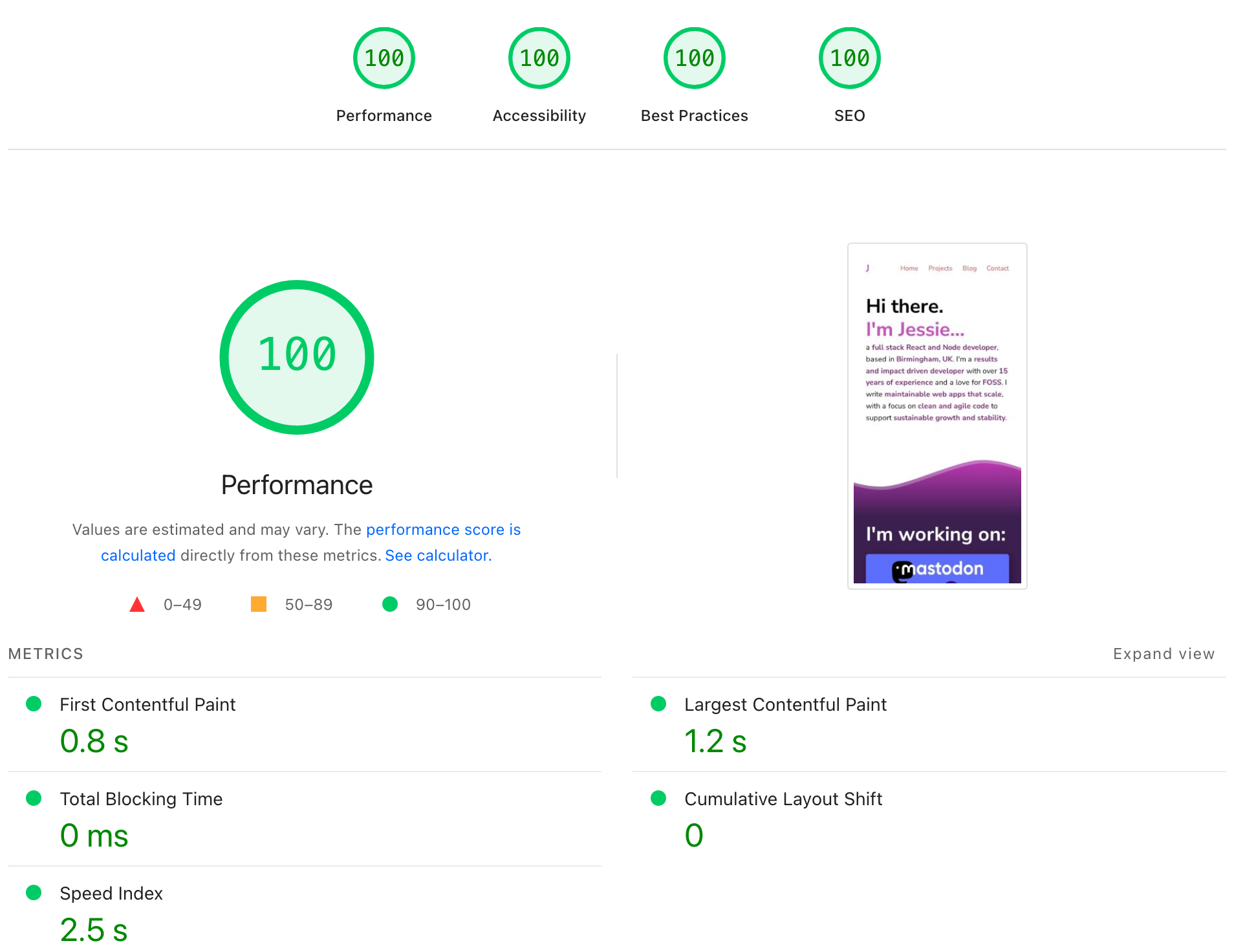
I'm thrilled with these numbers!
🌙 Dark mode
I recently added a dark mode feature using CSS's prefers-color-scheme media query. I changed the white background "above water" to a deep, dark purple. I lightened up the text colors to maintain accessible contrast, and was happy with the results:
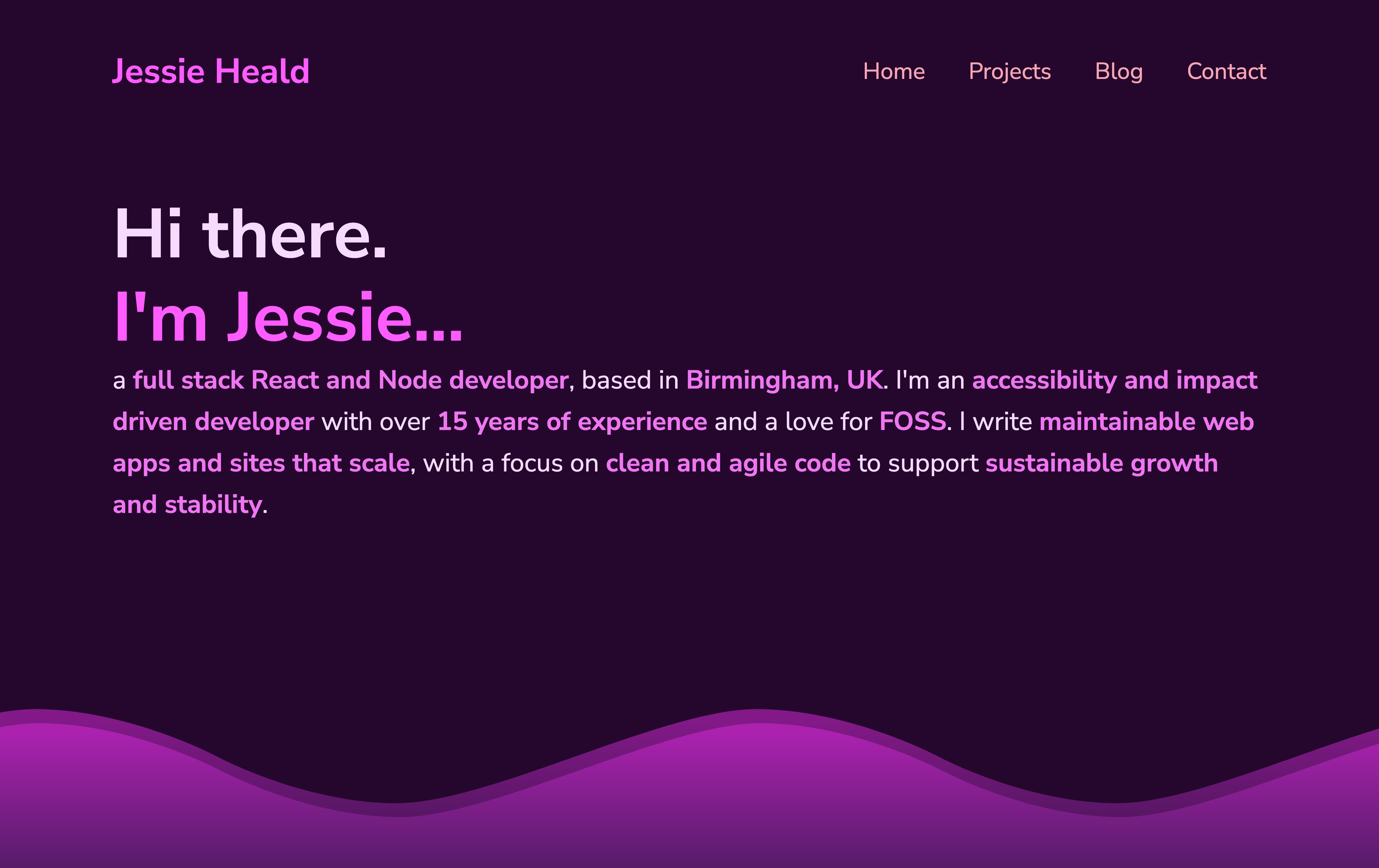
I loved how this contrast made the text "pop" from the background. But it got me thinking: people sometimes have dark mode on at night, it'd be cool to give a nod to the time of day...
I started researching the best way to implement a starry sky pattern for the background above water. Eventually, I discovered a fantastic SVG template to generate some basic noise with a transparent background. I applied some opacity to it, and the results look amazing:
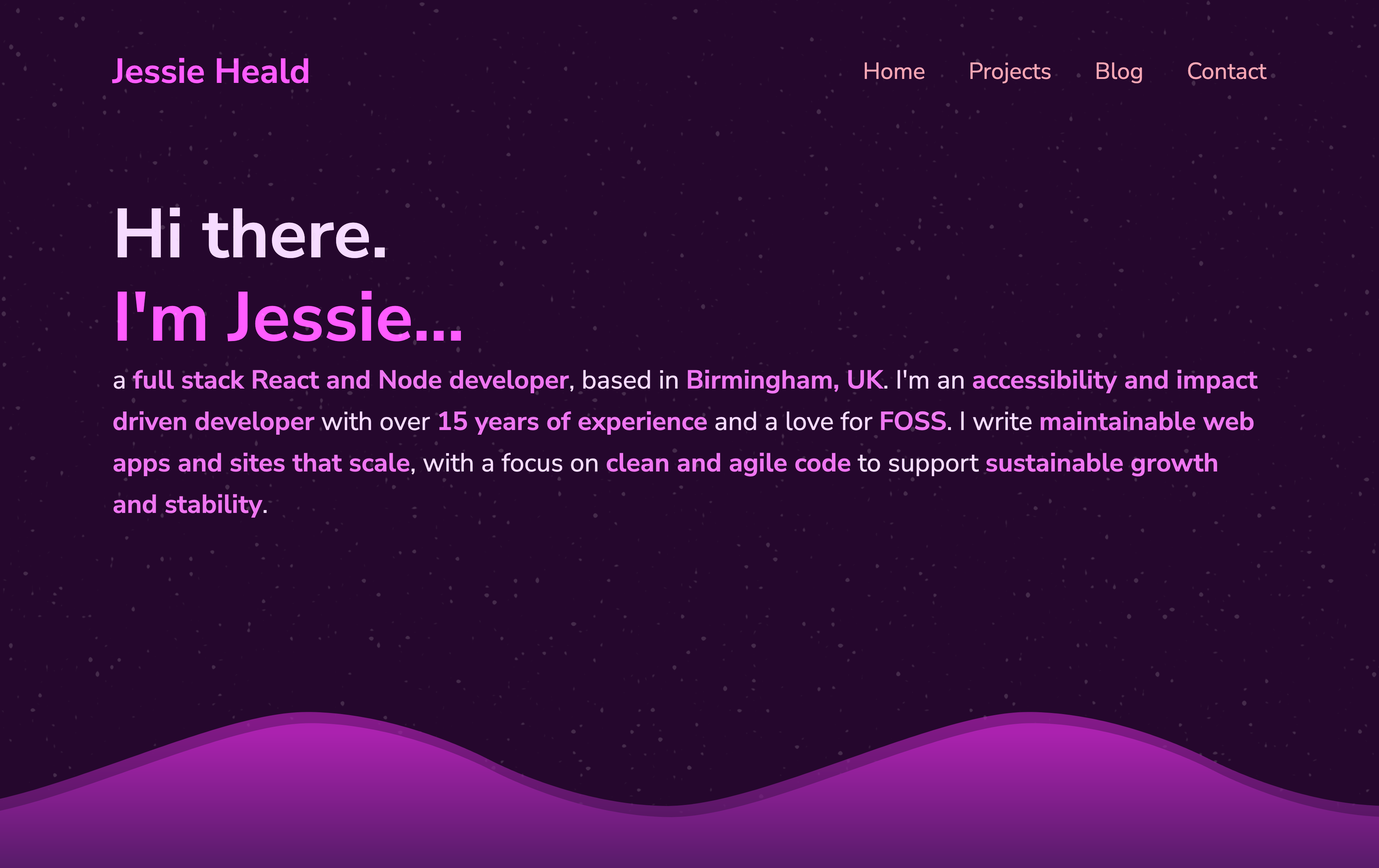
This really helps the empty space look a little less boring, bringing further personality to my page and a fun little "easter egg"! I think it also eases the contrast differences a little, making it a little easier on the eye.
Conclusion
I'm very excited to use the lessons learnt in other projects! I feel like I've achieved what I set out to do: to create a portfolio that's fast, accessible and shows my personality (and my unending adoration for the color purple!). It's even been featured on the 11ty bundle!
Developing my portfolio taught me the importance of design tools like Penpot and Figma. Using Penpot allowed me to focus on being creative without the friction of coding. Once I had the design finished, it was so much easier to code because I had a reference which helped me plan ahead! I'll be using it for all future projects.
It was also very very fun to see such a huge reduction in request size and latency with all my optimizations! Again, a lot was learnt here and so much more to explore. If any of my next projects are hosted on a web server I control, I'll be experimenting with more optimization techniques!
Learning about WCAG taught me a lot about implementing color schemes in an accessible way. It further solidified the importance of descriptive HTML and about the inner workings of accessibility software.
I'd also like to give a special thanks to the wonderful 11ty community Discord! They were all very helpful in suggesting different approaches for optimization and accessibility.